GPS Watches for Climbing: Vertical Accuracy Tested
By Nadia Okafor • 15th Feb
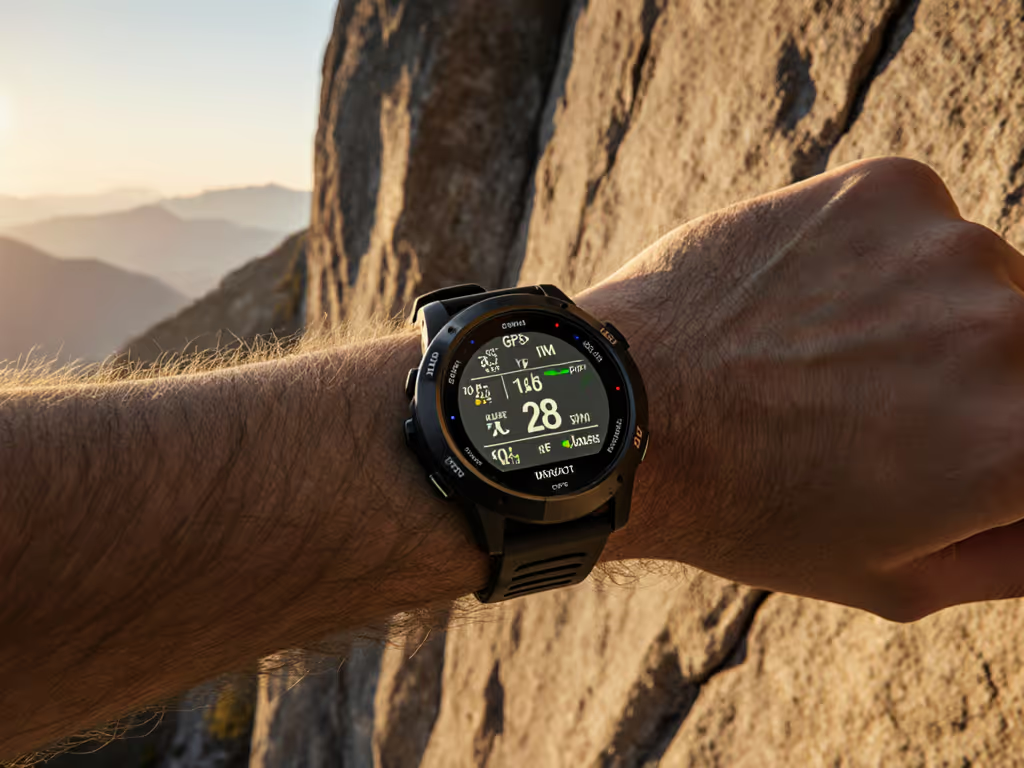
Choosing a GPS watch for rock climbing isn't about picking the watch with the flashiest launch announcement, it's about selecting a tool that gives you repeatable, defensible data on vertical terrain when satellite geometry is poor and signal bounce off rock faces threatens to pull your track offline. Since rock climbing happens in the most challenging GPS environment possible, the differences between a competent general-purpose sports watch and a climbing-optimized device matter in measurable, practical ways.
Why Standard GPS Falls Short on Vertical Terrain
What Makes Climbing GPS Different?
When you run a 5-mile loop on roads through mostly open country, standard GPS with a single-frequency chipset handles the job adequately. But climb a big wall or alpine face, and you're operating in an environment where satellite signals bounce off rock, trees, and your own body. The watch receives both direct signals and delayed reflections (a problem called multipath error), which can corrupt position fixes by 10, 20, or even 50 meters. This matters less on a trail but becomes critical when you're trying to measure actual climbing distance versus approach hiking, or when you need to backtrack down a gully at dusk.
Climbing-optimized watches use dual-frequency GPS paired with climbing-specific algorithms tuned to lock onto primary signals and reject bounces. The Coros Vertix 2, for instance, was the first consumer watch to employ this approach at scale[1]. Testing in actual gorges with high rock walls shows the dual-frequency advantage plainly: where single-frequency chipsets veer offline in deeper canyon sections, the multiband connection tracks much closer to the actual route[1].
How Vertical Metrics Accuracy Differs Across Models
Elevation Gain: Barometer vs. GPS
Elevation gain accuracy hinges on two sensors working in harmony: a barometric altimeter (which reads air pressure) and the GPS altitude signal. For step-by-step barometric calibration fixes to keep elevation honest on long climbs, see our altitude accuracy guide. Most mistakes happen when the barometer is poorly calibrated or when auto-calibration fails mid-activity.
The Vertix 2 uses a barometric altimeter to calculate vertical speed and elevation gain independently of GPS altitude[1]. When paired with climbing-specific algorithms, this watch delivers elevation markers that align with your climbing guidebook, a validation test that separates real accuracy from marketing claims[1]. Other watches, including general-purpose runners like the Suunto Vertical, offer multi-frequency GNSS but don't tune their firmware specifically for the on-wall use case, so they track elevation gain competently but don't extract the subtle gains that matter on technical mixed terrain.
Route Mapping for Climbing: Precision and Usability Trade-offs
A map feature is only useful if you can actually see and interact with it in the conditions where you climb. For map types, contour detail, and best practices, check our topographic mapping guide. The Vertix 2 increased screen resolution 16% over its predecessor, making contour lines and terrain features visible without needing to zoom repeatedly[1]. It comes preloaded with global landscape maps showing streets, road networks, and waterways, enough visual reference to orient yourself, especially on approach hikes[1].
However, route mapping for climbing introduces a usability tension: touchscreen interfaces that dominate modern watches fail in wet, cold, or gloved conditions. The Vertix 2 relies on both a digital dial and touchscreen manipulation for map panning and zooming[1], which is intuitive indoors but becomes frustrating at altitude while wearing mittens. Field teams working with remote guides have learned this lesson harshly. Two days lost waiting for a replacement charger that used a proprietary connector taught me that redundancy in control methods (physical buttons you can operate with stiff gloves, standard connectors you can swap in the field) often matter more than screen real estate.
Battery Life Under Real-World Load
The Ultramax Mode Trade-off
Advertised battery life often vanishes in cold, at altitude, or when you enable dual-frequency for the entire expedition. The Vertix 2 claims up to 240 hours of continuous tracking using ultramax GPS mode, and 140 hours in standard 4-frequency mode[1], a substantial advantage over its predecessor. However, that 140-hour figure assumes moderate conditions and consistent satellite geometry. When you're moving through slot canyons, dense forest, or high-altitude glaciers, the watch is hunting for signal more aggressively, and power drain accelerates. For expedition-long runtimes, see our ultra battery life field tests.
If you're planning a 5-day alpine push, 140 hours sounds reasonable on paper. In practice, if you activate the watch at dawn, pause it for bivies, start it again at first light for three successive mornings, and use mapping to navigate an obscure descent at dusk on day four, you're looking at intermittent use patterns the lab can't simulate. Standards reduce stress: models that publish detailed, scenario-specific runtimes (140 hours continuous, 4-frequency; 75 hours with mapping enabled every 10 minutes; 50 hours with heart rate logging plus mapping) let you make rational decisions instead of guessing.
Approach Hike Navigation and Data Export
Breadcrumb Trails and Offline Planning
Many climbers approach multi-pitch objectives via hikes measured in hours or days. Approach hike navigation needs to be fast, reliable, and not consume the entire watch battery before you even start climbing. The Vertix 2 lets you upload approaches and descents to the Coros app and then pair them with the watch before heading to the field[3]. Pair this with mapping and you can follow breadcrumb trails on-watch without draining power faster than necessary.
The open question: Can you export your track and mapping data in standard formats (GPX, FIT, GeoJSON) without vendor lock-in? The Vertix 2 allows GPX export, which means you own your logbook and can analyze it in desktop GIS tools, share it with guides, or load it into Strava[3]. This is not universal. Some climbing watches trap data in proprietary formats, requiring you to sync through the manufacturer's cloud, creating a dependency that works until the company pivots, support ends, or your account syncs fail three days before an expedition.
Vertical Speed Tracking and Safety Margins
What the Sensors Actually Measure
Vertical speed tracking on modern watches estimates ascent rate using barometric pressure changes and elevation gains over time intervals. The Vertix 2 tracks vertical speed alongside ascent data, allowing climbers to log the rate at which they were moving upward[1]. This is not an absolute truth measurement (it is an inference from pressure and GPS altitude), but when checked against known routes and compared to guidebook benchmarks, the correlation holds well enough to identify pace anomalies (e.g., "we climbed slower than expected due to loose rock or weather").
The practical value here is psychological and tactical: in the field, you can glance at vertical speed and ascent data, compare it to your pre-climb plan, and decide whether to push for the summit or bail with daylight to spare. This demands accuracy you can trust, not a sensor prone to wild swings due to weather pressure changes or barometer drift.
Multi-GNSS vs. Single-Frequency: Field-Test Evidence
Where Dual-Frequency Wins
GPS is just one constellation of satellites. Modern watches use all five major satellite systems (GPS, GLONASS, Galileo, Beidou, QZSS) to increase the number of signals available, especially in challenging terrain[4]. Dual-frequency reception (capturing both L1 and L5 frequency bands from each satellite) allows the watch to correct for ionospheric delays that distort position. If you want the technical why and practical setup tips, read our multi-band GPS explainer.
In real climbing, this translates to measurably tighter tracking. Testing a Vertix 2 on repeated loops around a pump track with all satellite systems enabled in single-frequency mode showed good, consistent traces, but with slight drift over a session[1]. Dual-frequency operation tightens that trace further. On glacier approaches or big walls, the advantage compounds because you're far from cell towers, signal bounces are severe, and the margin of error directly impacts whether a descent route traces accurately or wanders into crevasses.
Warranty, Support Windows, and Total Cost of Ownership
The Hidden Cost of Proprietary Hardware
A watch isn't just the upfront price tag. It's also the charger, the bands, the replacement parts, and the support window. Coros publishes a standard 24-month limited warranty on hardware, which is typical for the category. The Vertix 2's durability appears solid in user reports and reviews, but the real question is: What happens after five years when you're halfway through a long expedition and a charging pin corrodes or a glass lens cracks? Can you source a replacement lens, charger, or battery locally, or are you entirely dependent on Coros headquarters responding to a support ticket?
Garmin's Fenix line, the traditional alternative for mountaineers, has a wider aftermarket ecosystem for replacement bands and charging cables, a practical advantage if you're supporting a field team in remote locations. Suunto and Polar watches offer similar serviceability advantages. None of these manufacturers guarantee long-term parts availability, which is why field teams increasingly prefer watches with USB charging (standard cables everywhere) over proprietary magnetic pogo pins.
Support Lifecycle and Firmware Stability
GPS watches receive firmware updates to fix bugs, add features, and improve battery life. The risk: an update three days before your expedition breaks a core function (e.g., climb tracking suddenly stops logging elevation correctly). Checking manufacturer support forums and Reddit threads for recent firmware reports is now a mandatory pre-expedition task.
Coros has historically maintained good firmware update cadence for the Vertix line, and serious climbing-specific bugs get patched quickly. But no manufacturer has infinite support windows. Typically, you get 3-5 years of active firmware updates, then legacy support where patches address only critical security or stability issues. For brand-by-brand timelines and update cadence, read our software support cycle breakdown. If you plan to use a watch for 10+ years, you're betting that its feature set will remain relevant and its batteries won't bloat in a drawer.
The Climbing-Specific Feature Set: Beyond Generic Sports Modes
Logging Climbing Styles and Grades
A standard sports watch logs "climbing activity" as a generic ascent rate. The Vertix 2 goes further: it has specialized climbing modes for indoor lead, top-rope, sport routes, trad, big walls, ice, and mixed climbing[4]. You can log climbing grades and styles in the app, building a personal climbing logbook that also generates data you can analyze (e.g., "my vertical speed on trad pitches averages X feet per minute").
This is more than vanity metrics. Guides use this data to plan expedition pacing. Athletes track whether they're improving vertical speed season-to-season. Field scientists doing alpine fieldwork can prove to funders exactly how much elevation they covered and under what conditions. It's a small difference from a generic "outdoor climbing" log, but it compounds over seasons.
Actionable Steps: Comparing Options for Your Climbing
Before committing to a GPS watch, run these checks:
-
Test dual-frequency reception in your local climbing environment. If you primarily climb near dense forest or in slot canyons, rent or borrow a watch for a weekend and compare GPS tracks between single and dual-frequency modes. Does the track stability improve? By how much? Use this real data, not marketing claims.
-
Verify battery claims under your actual use pattern. If you plan 3-day trips with mapping enabled, don't rely on "140 hours continuous tracking." Simulate your use: activate the watch at your planned intervals, use mapping at the frequency you'll actually need, and log the real drain. A 20% variance between lab and field is normal; a 40% variance means the model won't meet your needs.
-
Check warranty, support window, and parts availability. Contact the manufacturer or a retailer and ask: (a) What is the support commitment in years? (b) Are replacement batteries user-accessible or does the entire watch need to be shipped? (c) Are charging cables standard USB or proprietary? (d) Do they publish a parts list with estimated availability? The answers often reveal how much long-term control you actually have.
-
Export a test activity in GPX and open it in a desktop mapping tool. This verifies that data export is frictionless and that you're not locked into the manufacturer's ecosystem. If export is buried in menus, requires app sync first, or outputs proprietary formats only, budget for manual workarounds later.
-
Review recent firmware changelogs and user forums. Look for the last 3-6 months of updates on Reddit or the manufacturer's support site. Are they fixing climbing-specific bugs? How long between reports of issues and patches? This gives you a sense of team responsiveness and whether recent updates have introduced regressions.
The watches that excel for climbing (Coros Vertix 2, Garmin Fenix 6X Pro, Suunto Vertical Titanium) all offer dual-frequency, rugged builds, and good support. The right choice depends on your budget, your local terrain, and whether you value climbing-specific data logging or prefer generic sports modes with broader flexibility. Test them in your environment. Compare their support timelines. Check how easily you can own and export your data. Own your tools; don't rent them from a logo.
Related Articles